Showing posts sorted by relevance for query iphone. Sort by date Show all posts

iPhone 4S + More

Thursday, October 6, 2011

Apple recently hosted a keynote announcement , announcing its new iPhone, as well as a few minor updates to the iPod line.
Siri on the iPhone 4S

iPhone 4S:


Although some were expecting a completely new and redesigned iPhone 5, Apple will probably wait for 2012 to announce the iPhone 5. Until then, we will have to live with the more minor updates of the new iPhone 4S.

The 4S keeps the same beautiful and elegant design as the iPhone 4, but now comes packed with the same Apple A5 processor found in the iPad 2. This new chip allows for a much snappier experience, along with the ability to carry out more powerful tasks on the iPhone. Although the 4S has a much more powerful processor, battery life is still great, with up to eight hours of talk time on a single charge.

Another major update in the iPhone 4S is the camera. The iPhone 4's camera was always known as a great one, especially for a cell phone camera. The 4S's camera is even greater than its predecessor, with an 8 megapixel sensor, as well as many other improvements to the picture quality. The camera can also now provide 1080p video recording.

The iPhone 4S will also come pre-loaded with Apple's newest mobile operating system, iOS 5. Click here for an overview of iOS 5.

The most talked about feature on the new iPhone 4S is most probably Siri. In April of 2010, Apple bought the voice-command recognition company Siri. Apple is now integrating Siri into it's newest iPhone. To activate Siri, one just holds down the home button on the iPhone, and the Siri window pops up. Users can ask Siri almost anything, and it will answer. It can be used to schedule tasks, play music, dictate emails, look up facts, and much more.

The new iPhone 4S will cost $199 with a two year contract, and will be available on AT&T, Verizon, and now Sprint.

iPods:

The iPod Nano
There really weren't many major updates to the iPod line. The two devices they changed slightly are the iPod Nano, and the iPod Touch.

The Nano has a few new features, including a new, simpler user interface, a built in sensor for exercising right out of the box, and many new clock face options. The Nano's price was lowered to $129 for the 8GB model, and $149 for the 16GB model. The Nano keeps it's same design.

The iPod Touch also got a price decrease, starting now at $199 for 8GB, and is now available in white.

White iPhone 4 Finally out; Thicker? (UPDATE: Apple Responds)

Thursday, April 28, 2011

     It has been nearly a year since Apple announced it's latest edition of it's smartphone device, the iPhone 4. Like every edition of the iPhone before this one, it was going to be available in both black or white colors. The white edition of the iPhone 4 was delayed for a few weeks, and then completely taken down from the Apple website.
     Rumors have been floating around pretty much ever since the white iPhone was delayed. There were both rumors about why it was delayed, and about when it would come out. Although we may never know the answer to why the white iPhone 4 was delayed for so long, we do know when it will come out. The answer: today.
     Apple posted a picture of the white iPhone 4 on it's website yesterday, along with a caption saying that the white iPhone 4 will be available tomorrow. That tomorrow is now today.
     The white iPhone 4 is available for purchase now, and many have already bought it. The ones who already have the device in their possession have started a buzz about the thickness of the white iPhone 4 compared to the black version.
     The picture below shows the slight difference in the thickness of the white iPhone compared to the black Model.
     Speculation is always possible as to what the reason for the thicker device is. However, I believe that this difference in thickness means next to nothing, and time should not be wasted guessing the reason for the thickness difference. One of the reasons that the white iPhone may be important, is that Apple wouldn't a new model of the same version phone if a newer version phone was just a few months away. This white iPhone launch seems to support the rumors that the iPhone 5 will not be coming out, as originally expected, in June 2011.

UPDATE: Apple responded to this claim by saying that, unlike what the picture above suggests, the white and black iPhone are actually the same size. Consumer Reports also did testing on this issue, and concluded that both models of the iPhone are the same thickness.


Will iPhone 5 feature NFC?

Thursday, March 17, 2011


     A back and forth of reports have been going on about the iPhone 5, the expected name for the next version of the Apple iPhone and NFC. NFC stands for Near Field Communications, and is a way to transfer data wirelessly at very close distances. This would be useful for using your phone like a credit card, and making purchases just by waving the phone over the other NFC device.
     Bloomberg reported a few weeks ago that the iPhone 5 will come with a built in NFC chip. That report was then contradicted by The Independent, who said that if NFC appears at all, it will be in the iPhone 6th generation, rather than the iPhone 5. The contradictions continue as Elizabeth Woyke of Forbes claims (via SIA) that the iPhone 5 will have NFC built in after all.
Just met with an entrepreneur who says the iPhone 5 *will* have NFC...according to his friend, who works at Apple. Huh.
     With all the contradicting rumors, it's hard to tell which is true. Will the iPhone 5 contain a built-in NFC chip. We may have to wait for the iPhone 5 announcement, expected to be around June.
   

Specs and Speculations: Blackberry Bold

Friday, January 21, 2011

     The email phone. The business phone. The first successful smart phone. The Blackberry. Is it really all that good? The Blackberry Bold came into my house, and I jumped at the opportunity to review it (Although I'm not so sure the phone's owner really wanted me to use it).
     At first glance, the Bold looked nice. Unlike many phones, it's straighter angles make this a sleek looking business smartphone. You get a full physical QWERTY keyboard under the 2.45 inch LCD screen. Being used to the big touchscreen smartphones common today, the Bold's small, "regular" screen seemed strange. The Bold's Bluetooth capabilities are also important for the business user.
    On my Samsung Intensity, I made a call to the Bold. The voice quality was okay, but when the caller was not talking, there was a lot of background white noise, even though they were in a completely quiet office. The Bolds ear-piece seems to work well.
    Using the mini trackpad on the phone was a lot harder than using the touchscreen on say, the iPhone. Having a physical keyboard can sometimes be nice, especially for heavy email users. The Bold sounds good so far, but the user experience on the OS is a real drawback. For instance, in the maps app, you have to click the trackpad to change the mode from "Pan" mode to "Zoom" mode, and then move your finger on the trackpad.
     The picture quality on the 3.2 MP is better than one you'll find on a feature phone, but doesn't come close to the iPhone 4's almost point and shoot like quality. It's nice to have a flash on the phone, but with this camera I would definitely bring along a point and shoot camera on a trip, because the Bold's Camera  doesn't really do the trick.
     Our Verizon phone came preloaded with icons for Skype, NFL Mobile, along with some games, but clicking on most of them just brought up a webpage for downloading them. Verizon also adds it's VCast and a few other programs, along with (annoyingly) making Bing the default search provider. The calendar app works fine, and is actually more advanced than the one on Android and iPhone, but has a very plain and old fashioned looking interface.
     Email setup was easy, and I set up my Gmail account on the phone in seconds. Blackberry users are crazy about how the email system is better than anything else, but I don't see how it outshines the iPhone or Android. The one drawback with email is  that it takes twenty minutes fo rthe mail to start coming into your inbox.
     Gamers, stick with an iPhone or Android device, because gaming isn't really going to work that well on the Blackberry Bold. The Bold comes preloaded with five games, including a not so well designed Brick-Breaker, a pretty fun casual game called Word Mole (so that's where the enter button is), and Sudoku, which seems okay. Medal of Honor and Assassin's Creed II, for $6.99 and $1.99, respectively. Although these are popular titles in the gaming console world, I don't know how good Assassin's Creed II could look on a 2.45 inch screen.
     Once you start to understand how the operating system works, everything becomes easier to understand, until then the OS really is not as self explanatory as iPhone's iOS or even Android. The whole Blackberry system works, but is almost completely any missing any eye candy you'll find on other phones.
     The Blackberry Bold seems to be for the business user who definitely does NOT use this as their primary computing device. For those, I would definitely recommend the iPhone, or maybe for a more sophisticated user, an Android device. As usual, you definitely should play with all your options before you make the decision.

Apple Unveils iCloud, iOS 5, Shows off Mac OSX Lion

Tuesday, June 7, 2011

It's that time of year again! Apple holds a developer's conference every year in San Francisco called WWDC (Worldwide Developers Conference, discussing, usually from more of an app developer's point of view, some of the new products or services that Apple is creating. This year's event was sold out in less than ten hours, and tickets weren't cheap either, so we'll see what they paid to see.


Steve Jobs, Apple's CEO (Currently on medical leave), with the help of some fellow Apple employees, announced three new products/services, and showed off one more, that had already been announced. None of these three products are actual physical products, but they are just as interesting.

Apple's iCloud logo
iCloud: The first product announced is called iCloud, and is an online service similar to the current, and slowly phasing  out, Apple service Mobile Me. iCloud is an online service that stores and syncs "your music, photos, apps, documents, and more", as written on the Apple website. The service then syncs all of that data with any other internet-connected Apple device. iCloud will also work on a Windows 7 or Windows Vista device will iTunes. Best of all, it's all free, for up to 5GB of storage.

iCloud will store any music bought via the iTunes Store, but you will also be able to store music you got any other way, be it a ripped CD or the Amazon MP3 store, for $24.99 a year. iCloud does this by scanning the song and matching it with an existing song in it's library of over 18 million songs. iCloud now knows you have the "rights" to the song, and will stream it at your command. This won't work for any song not in the library of 18 Million, so if you have music you created yourself, or an unpublished remix of an existing track, this won't work. One of the major benefits of this service, though, is the fact that if you have a song saved as a very low quality track, iCloud will play it back as the 256Kbps quality that iTunes currently offers.

iCloud in Action
iCloud also will take any picture you take with your iPhone, upload it to the cloud, and sync it with any of your other devices. The service lets you see your already purchased apps, and allows you to download an app again, for free on up to five devices. iBooks will also be synced between devices, as well as any documents created with iWorks, which apple just released the iPhone version of.

Another really important feature, iCloud backs up all of the data on your iPhone or iPod touch over the air, so there is no need to connect your device to a computer.

iCloud will be available for free this fall, along with iOS 5, which will be discussed later in the post.

Mac OSX Lion: After discussing iCloud, Jobs handed over the presentation to Phil Schiller, Apple's senior vice president of worldwide product marketing, who talked a little bit about the latest edition of Mac OSX, called Lion.

Mac OSX Lion will be available as a 4GB download from the Mac App-Store, and will cost $29.99. Most of the new features in Lion, at least the ones that Apple showed off, were already talked about, and you can read my post about those here.

iOS 5: The last service talked about at today's keynote was iOS 5. iOS, Apples mobile operating system that's used on the iPhone and iPod touch, is updated every so often, but a major release, like iOS 5, is released only around once a year.


iOS 5 will be available in July as a free update for your iPod touch or iPhone, and will many new features. One of those is the "Notification Center".

The notification center is accessed by simply swiping down on the screen. This will show a list of notifications, including email, text messages, and notifications from other apps on your phone. Notifications will also no longer interrupt everything you are doing, rather they will just slide in above the app you are currently using, and disappear quickly. Notifications are also accessible from the lock screen, and you can easily respond to a notification from the lock screen.

Revamped Notifications for iOS 5


iMessage will replace the SMS app for the iPhone, and will also be available on the iPod touch. iMessage allows users to send text messages via their 3G data provider, or they can send free text messages over a data connection to anyone else with an Apple iOS device. Messages can also include pictures, sound, and video.

iMessage for iPad, iPhone, and iPod touch


Newsstand, one of the new additions in iOS 5, is the iBooks for magazines. Newsstand differs from all other apps, because instead of opening up like a normal app, it opens as a regular folder currently in iOS would. The folder differs from a regular folder, as it contains digital magazines, instead of apps. The background in the Newsstand folder looks like the wooden bookshelf currently found in the iBooks app.
Newsstand, a folder of magazines

Reminders is a new app that will be found in iOS 5. Reminders allows one to set reminders for himself, and organize reminders in to do lists. Reminders syncs with iCloud, Outlook, and iCal, so your to do's will be everywhere.
Reminders for iOS 5


Although Twitter already has an iOS app, with iOS 5, it will be integrated as an app that comes with the device, similar to what Apple is doing already with YouTube. Twitter will now be integrated into many of the apps Apple already has on their devices, such as Safari, Photos, Camera, YouTube, and Maps. One will be able to tweet directly from any of those apps.
Twitter, integrated into iOS 5

The camera is now accessible from the lock screen, so if you ever have a photo you really need to capture, and fast, your iDevice will help you. The camera button on the lock screen even bypasses any passwords set on the device, so your camera will be ready when you need it. The camera also has a new grid that you can use for better alignment while taking a photo.
The camera app, accessible from the lock screen

The Photos app will also be improved, with new photo editing features such as crop, rotate, enhance, and remove red-eye. The camera app also allows you to organize the photos in albums right on your iDevice. Of course, with iCloud, your photos will be synced to all of your other Apple devices.
The new photos app, now with editing

Safari, Apple's built in web browser, is also improved with new tabbed web browsing, a reader function that strips out all of the junk from a website, and just shows you the content you want to see, as well as a reading list that allows you to save articles for reading later. Procrastination at it's finest.
Safari with tabbed browsing

With iOS 5, any iDevice is completely PC free, no computer is needed to set up the device, or to put on music movies, or anything else. The new iCloud service takes care of backup, so you can easily restore a device wirelessly.

Some of the smaller improvements include some new features for the Mail and Calendar apps, an update to GameCenter, Apple's gaming social network, which allows users to set a profile picture, WiFi sync, which allows you to sync music, podcasts, and videos wirelessly with your computer over a WiFi connection. Apple also added multitouch gestures to the iPad, which allow you to swipe through apps by swiping your fingers across the screen, etc. The iPad 2, with the iOS 5 update, will be able to mirror the image you are seeing on it's screen wirelessly, instead of using the HDMI cable currently available.

I myself got extremely excited when writing this post, because this update to iOS 5, along with iCloud, really takes care of many of the problems people had with iOS devices. The only negative is that iOS 5 and iCloud will only be available in the fall, so we've got a while to wait.

The reason that Apple announced these products so early is because they need developers to write apps for these platforms, which takes a while. Apple developers have access to Lion, iCloud, and iOS 5 now, and can start developing for those platforms. If these new products really have you salivating, you could shell out the $100 is costs to become an Apple developer, but you have to own a Mac computer.

Guest Post: Top Smartphones of 2011

Friday, October 28, 2011

Guest post by Chris Pentago. Find Chris on Twitter and Google+.

With every passing year, mobile phones become more advanced. With the current smartphone craze, a newer and more powerful device is always right around the corner. As the year begins to wind down, we take a look at the best new mobile phones available.

Motorola Droid RAZR

Motorola Droid RAZRThe Droid RAZR represents a merging of two of the most iconic brands in the history of mobile phones. Many will recall Motorola's 2004 RAZR, the thinnest phone of its era. The Droid RAZR follows in its footsteps, measuring an incredibly thin 7.1 millimeters.The Droid RAZR runs Android 3.0 Gingerbread and is powered by the latest hardware. It has specs that tech fans drool over. The device features a 4.3 Super AMOLED Advanced display and dual-core processor. The phone also has a front-facing camera for video chat, and can shoot HD video. On top of all of this, Motorola coated the Droid RAZR with Kevlar and a splash guard, making the Droid RAZR resistant to spills.

Samsung Galaxy S2

Samsung Galaxy S2
 The international version of the Galaxy S2 has been available for some time overseas, but it just recently made its way to US carriers. The specs vary between carrier, but the theme remains the same: A massive screen that's around 4.5 inches, a dual-core processor, front and back cameras, and a thin build that's extremely sleek. The phone runs Android 3.0 with Samsung's TouchWiz skin and custom widgets, making the experience of using the device just a bit more friendly for the casual crowd. For anyone who's not on Verizon and can't get the Droid RAZR, the Galaxy S2 is their best bet for a thin phone with a beautiful screen and slim build.

Google and Samsung Galaxy Nexus

Samsung Galaxy NexusGoogle and Samsung have teamed up once more for the latest Nexus device from Google. The Galaxy Nexus sports the features everyone would expect, such as a dual-core processor and front-facing and rear-facing cameras. A few things set it apart from the rest, though. For starters, it has a 4.6" Super AMOLED screen capable of displaying HD video. It has what Google calls a contour display, meaning the screen is slightly curved allowing for easier use. Perhaps most importantly, it is the first device to run what Google calls Ice Cream Sandwich, otherwise known as Android 4.0. Android 4.0 features an overhauled user experience that is faster and sleeker, and requires no physical buttons on the device. Because of this, the Galaxy Nexus is going to be on the cutting edge of both hardware and software.

Apple iPhone 4S


Apple iPhone 4SThe latest iPhone continues to help set the standard when it comes to ease of use, speed and form factor. The device builds on the beautiful design standards established by the iPhone 4 but throws a faster, dual-core processor into the mix along with a much improved camera. The iPhone 4S also includes Apple's proprietary voice recognition software, Siri. Siri lets users operate the device with their voices instead of fingers. Those looking for a reliable and simple smartphone experience can't go wrong with the iPhone 4S.

There are new mobile phones being released constantly. None will last forever before the next great thing comes out, however, these devices are among those with specs that will last for the long haul. All of these devices are available now or will be by the end of November, making them a great pick for the holiday season. Which one would you pick? Tell us in the comments below.

Apple Releases iWork to the iPhone

Tuesday, May 31, 2011

Students and business-people alike both need, on occasion, to type up a paper really quick, or to create a quick presentation for their meetings the next day. Up until now, if all you had on you was an iPhone or iPod touch, you were mostly out of luck. Using some free or paid apps, you could type up a few sentences, but adding formatting or pictures was really just not possible. Until now.

In a press release earlier this morning, Apple, the makers of the iPhone and iPod touch, announced three new apps for the iPhone, all of which are branded as part of the "iWork Suite". These three apps are Pages, which allows for some heavy word-processing power, Keynote, which allows you to create slick looking presentations, and Numbers, Apple's spreadsheet-creating app.

All three of these apps were first available on the Macintosh, then later came to the iPad, and now have finally arrived on the iPhone and iPod touch. Each app is available in the iTunes App Store, and will cost you $9.99 a piece, which, although it seems kind of pricey, could be worth it. For current owners of the iWork apps on the iPad, the iPhone version is a free upgrade.

Although this seems kind of cool and very useful, creating presentations or spreadsheets on such a small screen is a slightly daunting task. Also, the iPad versions of these apps have not been such a smashing success,  which could be a bad sign for this new version. 

Overall, these apps are a little pricey, but when you need them, you really do need them. If you have to create quick documents or presentations on the fly, then go ahead and shell out the $10 for the app. However, if you don't really need it, but you thing it would be cool to have, you probably should save your money for a better cause.

5 iPhone Apps you Need: App 1

Thursday, June 30, 2011

This post is the first in a series of five. Look out for more every Tuesday and Thursday. Read the second post here.

So you just got a new iPhone. Or you've had an iPhone for a while, but you haven't really gotten into the hang of the app thing. Or you've had the iPhone for a while, and you've been downloading apps, but you just haven't heard of these. No matter what your situation is, you have an iPhone or iPod touch, you need to check out these cool apps.

The first app in this five app series is Mint. From mint.com, this free app is available in the App Store.

Mint.com
Once you become old enough to live by yourself, you're bound to be confused with all of your financial responsibilities. Be it the mortgage, your college loan, or the groceries. Mint.com's free app is here to help. Although you might feel worried giving Mint.com all of your personal finance information, Mint is using the same service to keep the information as most banks do, so you aren't really giving any information you haven't already given. Once you put in all of your info, Mint will help you create a budget, and really manage all of your  finance needs. Mint is free, safe, and a definite download for any iPhone user.

Help Gadgetator by simply clicking on one of the sharing icons below. Also, like Gadgetator on Facebook by clicking the "like" button near the top right corner of the page. Happy sharing!

Mac OSX Mountain Lion: Making Mac OS more like iOS

Sunday, February 19, 2012


Apple, the creator of both the Macintosh OS, running on all Mac computers, as well as the more popular iOS, that runs on the iPhone, iPad, and iPod touch, has announced yet another update to the Mac OS that will bring both of those platforms closer together.

Until July 2011, the Mac and iOS platforms were completely separate. They had no similar user interface features, the underlying operating system was completely different, and the Apple-made apps were different from Mac to iOS. In July 2011, the next version of Mac OSX, the operating system Mac computers run, called Lion, was released. Lion brought some of the best features from the iPhone to the Mac. These weren't so blatantly iOS features, but more like an iOS-like experience coming to the Mac. After that point, the two platforms became more and more alike, with some of the major Mac apps coming to iOS, and more.

Recently, Apple announced the newest version of Mac OS, Mac OSX Mountain Lion, which will be coming this summer. The main idea of Mountain Lion is that Apple is bringing the best features in iOS to the Mac, and this time they're doing it straight out. As the Apple press release says, "OS X Mountain Lion... brings popular apps and features from the iPad to the Mac..."

Officially, Mountain Lion brings over 100 new features to Mac OS X, but many of those will go completely unnoticed. Any iOS user will probably recognize most of the main features in Mountain Lion.

Firstly, iChat has been replaced with an application Apple calls Messages. Messages allows you to use AIM, Jabber, Yahoo! Messenger, and Google Talk, as well as iMessage, the free Apple service originally introduced on iOS that allows users to send and receive text messages without using SMS. Mac users and iOS users both text each other, making iMessage a fluid messaging experience. The beta version of iMessage is available as a free download from the Apple.com website.

Reminders, an app also introduced on the iOS platform is becoming a Mac feature. It allows users to create simple lists with tasks to do, as well as set a time for the app to remind you to do that tasks. A user can create custom lists, and fill them with tasks, as well as set a priority, repeat date, and add notes. With iCloud, all Reminders data is synced from the Mac the iPhone, iPad, or iPod touch, and vice versa. Reminders had been integrated into iCal, but is now a separate and more simple app.

Notes is an app that has been on the iPhone since the very beginning, but is coming to the Mac as its own app for the first time. In addition to the simple note-taking abilities found in iOS, Notes for the Mac also allows you to add photos, videos, links, rich text, and bullet-points to make a more-robust note-taking platform. In Notes for the Mac, a user can also drag a note and pin in to the desktop.

Notification Center is another feature taken straight from iOS, and it looks almost exactly like the iOS version. Notification Center allows one to see and keep track of everything happening on the Mac. Any new emails, messages, calendar events, reminders, system updates, and even notifications from third-party apps will pop up non-intrusively at the top of the screen, and to see all of them in one glance, one can just swipe left from the right side of the track-pad, to view the Notification Center. Clicking on a notification will bring you directly to the proper place in the app.

One of iOS's least noticed feature is the ability to share photos, links, and more to various places with a tap. Mountain Lion brings this same feature to the Mac, called Share Sheets. Mountain Lion apps that integrate this feature will have the familiar share button, that, when clicked, will drop down a list of sharing options specific to that app.

Game Center, Apple's social gaming network launched originally for iOS is now coming to the Mac. Game Center allows players to play multiplayer games from an iPhone, iPad, or iPod touch, and now a Mac. Game Center also shows what games your friends are playing, and recommends new games a user might like. Game Center allows you to challenge friends in games, check out leader-boards, and earn achievements.

AirPlay mirroring, a feature found in the iPad that allows a user to hook up his device to any AirPlay supported device (such as an Apple TV), and mirror exactly whats happening on the screen, and put it on the big-screen, is now coming to the Mac in Mac OS X Mountain Lion. This can be used to play games, watch movies, or give conference presentations, all from the Mac.

A new feature that is specific to the Mac is called Gatekeeper. Gatekeeper is a security program for the Mac. Security is something that many think is not a problem on the Mac. For many years, due to the Mac's smaller market share, hackers and virus-authors kept away from the Mac, because Windows had a much bigger audience. However, with the Mac's market share slowly rising, bad guys see more potential in writing viruses for the Mac, and therefore viruses are becoming more common. Also, since there is this idea that the Mac is secure, users don't have software to protect themselves, and therefore are more likely to fall for a virus. Windows users, on the other hand, know of these insecurities, and are more likely to protect themselves. Gatekeeper is a really important feature that will help protect Mac users as malware becomes more common.

Mountain Lion is available now to registered Apple developers, and will be coming out for the public sometime this summer, but, like Apple did last time with their FaceTime app, a beta Messages app is available as a free download from the Apple website. Like Lion previously, Mountain Lion will probably be available as an upgrade for a relatively low price.

This is a major step forward in the evolution of the Mac OS X platform. Apple seems to be very set on slowly bringing Mac OS and iOS closer together. High-end users may feel that their desktop experience is dying, but all of the features found in the previous versions of Mac OS X are still there. Making Mac OS more like iOS is not taking away from the experience of a high-end user.

The iPhone and iPad seem to be very easy-to-learn platforms. Many people who could never operate a desktop computer can work an iPad fine, because of its intuitive user interface. Making Mac more like iOS can also be a great business move for Apple, because users who may never have touched a computer, but are familiar with iOS, will be more likely to get how to use a desktop computer, because of its similarities to the iPad.

This announcement not only lets us see what the next version of Mac OS X will look like, it lets us see Apple's strategy for the Mac, one that we will see in versions of Mac OS X for years to come.


The New iPad

Friday, March 9, 2012

We've all been waiting for the next generation iPad. Rumors about it have been floating around basically since the launch of the iPad 2, and now those rumors are all either confirmed or denied. Mostly confirmed.

1x1.trans Concise overview of the new iPad 3 features
With the new iPad, Apple is really focusing on graphics and images. The new iPad sports a Retina display, Apple's proprietary term for a display that, when viewed at a normal distance, the pixels are not discernible. The Retina display is also found in the iPhone 4 and 4S, as well as the iPod touch 4th generation. Although the iPad has less pixels per inch (PPI) than the iPhone and iPod touch, it has a 2048x1536 resolution, making it a higher resolution than even an HDTV.
The A5X Chip

The graphics are also greatly improved, as the new iPad boasts the Apple A5X chip, a dual-core system-on-a-chip with quad-core graphics. This makes high-quality games look much better, and really works well with the new Retina display.

The third feature focusing on images and graphics is the new camera built into the iPad. The new iPad sports the same front-facing Facetime camera as the previous iPad 2, however, the rear-facing camera is greatly improved. The new rear-facing camera, or, as Apple calls it, the iSight camera, features a 5MP sensor, as well as the same 5-lens optics system as the iPhone 4S, to give much-higher quality images than the iPad 2. The  iSight also allows for 1080p HD video-recording, with built-in video stabilization. The interesting thing about the new camera is that Apple is calling it an iSight camera. The iSight name was originally used for the front-facing web-cams on the Macs, and was later replaced with the name "Facetime". Until now it had seemed that the iSight brand was killed.

The three features above all really work together to give users a great visual experience on the new iPad.

The iPad now also supports 4G LTE, on both Verizon and AT&T, giving much faster wireless speeds than before. One will have to buy an iPad specifically for the 4G carrier they want to use, and the 4G iPads also support 3G, if one does not live in a 4G LTE supported area.

The features above are all known to be battery-drainers, but Apple claims the same 10 hour battery life as the previous iPads, while only making the iPad a bit heavier and thicker, at 9.4mm thick, and 1.44 pounds heavy.

Voice Dictation Built into the Keyboard
Another new feature in the iPad is Voice Dictation, powered by Siri technology. Although you won't get the same Siri personal assistant you find in the iPhone 4S, the new iPad does have a voice dictation feature built into the software keyboard, so you'll be able to dictate text instead of typing in any app.

Along with the iPad announcement, Apple announced updates to Garage Band and iMovie for the iPad, as well as a completely new app to complete the iLife suite. iMovie now allows for you to create, as the Apple press release says, "Hollywood-style trailers as you shoot HD video". Garage Band also has a new feature, called Jam Sessions, which allows a group to wirelessly connect and record music together. iPhoto, a new Apple app, allows grouping of photos and a great editing feature. All three of these apps cost $4.99 each.

The new iPad is available for pre-order now, and will be available to buy March 16th. The cost remains the same, starting at $499, so if you want one, pre-order now at Apple.com. The iPad 2 is also still available, at a reduced price of $399.

Interestingly, Apple is veering off from it's naming scheme, as they are calling the latest version of the iPad "The New iPad", instead of iPad 3 or iPad HD, as some thought it would be called. It will be interesting to see whether or not Apple continues this new way of naming devices with the next iPhone.

What do you think? Will you be buying a new iPad? Let us know in the comments.

Apple launches separate Podcasts app

Tuesday, June 26, 2012

iPhone Screenshot 1
It was expected that Apple would take podcasts out of the iTunes app on the iPhone and iPad, and release a standalone app for podcasts in the latest version of their mobile operating system, iOS 6, which should be released this fall. Although Apple hasn't yet gutted podcasts from the iTunes app, they have given them a standalone app, straightforwardly called "Podcasts", ahead of the iOS 6 release. 

Apple Pulling other eReader Apps? (Update: Apple Responds)

Tuesday, February 1, 2011

Gadgetator's trying a new format for the not so tech savvy readers. At the beginning of each post, we will be writing a list of tech jargon and their definitions that one would need to know at the beginning of the article. Like this idea? Hate it? Please leave a comment with your feedback. Thank you.

eReader-An eReader is a device that allows you to read digital books instead of paper ones.

     Sony makes an eReader called the Sony Reader. As with many eReaders, Sony designed an iPhone app that allowed one to read the eBooks that they downloaded from Sony on their iPhone. This app was rejected by Apple for some unknown reason. 
     Apps are rejected all the time by Apple, but it's always because of a violation of one of Apple's rules. So far the Kindle, the Nook, and many more eReaders have apps on the iPhone that weren't rejected. This could simply be because the Sony app had some problem with the code that went against Apple's rules. It could also be that Apple has changed it's policy and is now not allowing third party eReader apps.
     Apple also has an eReader app called iBooks, which is the reason why one would think that Apple is rejecting other, third party eReader apps, and even may start to pull the old ones.
     According to the New York Times, Apple is changing their policies to no longer allow third party apps to sell content, like eBooks, inside their apps. Now, if you're worrying about games like Farmville, which allows you to buy coins from inside the app for the game, that's nothing to worry about, this does not stop app developers to sell through their apps, rather just requires them to use Apple as an intermediary. 
     The story seems true, as Sony spokesperson Steve Harber is quoted, "“It’s the opposite of what we wanted to bring to the market, we always wanted to bring the content to as many devices as possible, not one device to one store.”
     So what does this mean for other eReader apps? Although the other apps don't have an integrated bookstore, they do allow users to download already purchased content from other devices, something which, according to the New York Times, Apple said was against the rules. This would affect Amazon with it's Kindle and many other popular eBook apps. 
     For now, we'll just have to see what happens. The story seems very believable, and neither Apple, Sony, or Amazon would comment.


UPDATE: Apple responded saying that they had not changed any developer guidelines, but wants a cut of anything sold through their devices.

Staying Connected While on the Road

Thursday, January 27, 2011

     It's a few days until I take a trip to Albuquerque, New Mexico. I'll be there about three days, and have been thinking about how to stay connected. For my work, all I really need is a web browser, but some need powerful desktop machines that can do HD video editing or 3D rendering. You can't really bring a 10 pound desktop computer with you on the trip, so how do you stay connected without lugging around a giant PC?  
     There are some great, free tools to help. I use a great free remote access program called TeamViewer. TeamViewer is free for noncommercial use only. I don't know exactly what the term "noncommercial" means, but buying a licence for commercial use costs a crazy $749. TeamViewer gives you amazing capabilities for free, such as file transfer, recordable sessions and more. You also get a free iPhone and Android app ,both which allow you to connect to other PCs remotely. The android app is still in beta, which does have some serious restrictions, but expect a non-beta version soon.
TeamViewer  on Windows
     TeamViewer is pretty simple to use, but each PC has to download the free application. When you download and open the application, the first thing you see is a home screen with an ID number and a password. Next to it is a text box labeled "create session". To have someone remotely connect to your PC, tell them your User ID and password, they enter that in, and the other user is on your PC. It's just as simple to start a session.
     Once you are connected, you see the other one's screen. You use the mouse and keyboard just like you  normally would on your PC. At the top of the screen is a small taskbar which lets you record the session and even do VOiP (voice over the internet). 
     To connect normally you have to have a person at both PCs to tell you the password. You can set up unattended access by making a free TeamViewer account. You then give the computer a name and password and you're ready to go. 
TeamViewer iPhone App
     The iPhone app is also really simple and easy to use. It works almost like the desktop client, but has less customization options. It gives you a list of recent remote access connections, and a cleaner looking interface. The controls for clicking and scrolling might take some getting used to, but overall, the entire system is easy to use.
     The days of not being connected because you aren't home are definitely over. With always connected smartphones, WiFi all over the place, and even data connections in some laptops, you really don't have the excuse of "I'm on vacation." With tools like TeamViewer, you now can work wherever you are, for little or no cost.

5 Android Apps you Need: App 1

Monday, September 5, 2011


This is the first part of a five part series. Check back every Monday and Thursday for more.

If you've been reading Gadgetator regularly, you probably know about the 5 iPhone Apps you Need series we did a while back. Although iPhone may be slightly more popular than Android, I never like to be biased, so here's... 5 Android Apps you Need.


iOS, the operating system behind the iPhone, iPad, and iPod touch, has always been known for it's large number of apps available. However, with Android's success over the past few years, it's app numbers have been slowly creeping up, and it's getting hard to choose the great apps from the not so great ones. Here's a little  bit of help, as I, over the next few weeks, will highlight 5 of the best apps for your Android device.

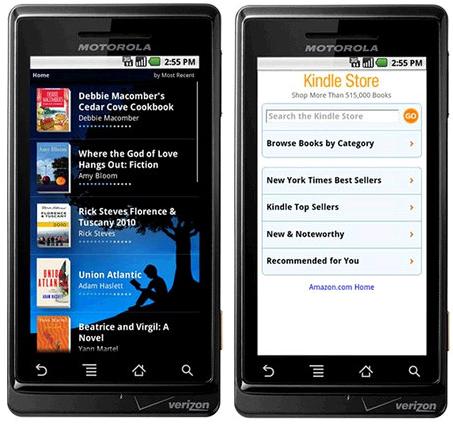
The first app in this series, called Kindle, is available for free from Amazon.com, as well as a free download from Google's Android Market.

Many people enjoy reading for different reasons. Be it to relax, laugh, or soak up information, Kindle strives to help get that reading done without having to lug around heavy books. All you need is your Android phone and the Kindle app (iOS, Windows Phone, and BlackBerry apps also available), and you're set. You can now read wherever you are without carrying heavy books around.

Now, you get that you can read with the Kindle app, but there is much more to it. Kindle allows you to browse over 950,000 books, as well as newspapers and magazines, and read them on your device. Although some books are free, most cost close to $10.

The reading experience is also great, as you can change font size, search inside the book, and instantly look up hard words with the built in dictionary. The Kindle app's Whispersync technology means that the page you are on, any notes you took, and bookmarks are automatically synced with any other Kindle apps you have on other devices, as well as on the actual Kindle device itself, so you never miss a word.

So, if you're running Android and enjoy reading, the Kindle app is a great, free download.

Microsoft Unveils Windows Phone 7 Update, Calling it Mango

Tuesday, May 24, 2011

Earlier today, Microsoft held a press event, announcing some of the newest features that will be found in the latest edition of their mobile phone operating system, Windows Phone 7. This update to the operating system is code-named Mango.

Andy Lee, president of Microsoft's mobile division, took the stage today and announced some of the new features that will be found in Mango.


To start off, Twitter and LinkedIn will now be integrated into Windows Phone 7. Also, the homescreen will be updated slightly, so that notifications are pushed more.

Call history will be sorted by person, and you will be able to see all of the calls, texts, IMs, and visual voicemail (another new feature in Mango) all in one "list". Related to this, a new feature in Mango will be the ability to group friends into groups. Groups will show all of those friend's activity, be it calls, texting, or even social networking activity. One can also communicate with all of the members in a group.

Although the long awaited copy and paste has finally come in an update a while ago, Mango will also add predictive text while typing. These are both important features that seem standard on any phone. However, predictive text can either save you time, or become an extremely annoying part of texting.

The new "threads" feature allows users to carry on a conversation from Facebook to texting, etc.

Andy Lee, President of Microsoft's mobile devision
Also regarding communication, Mango will allow users to keep email inboxes separate or combined, or even both. For example, one might keep his work email separate from his personal email, but he/she could combine two separate personal inboxes, and have work and personal inboxes. Some new security features have also been added for enterprise email.

Voice activated technologies will also be integrated into Mango. Microsoft showed how one could have text messages read to them while in the car, one could also respond just using his/her voice.

Microsoft is also bringing smarter apps, along with the ability to run multiple apps at once. Another improvement that will come with Mango is faster web browsing. Bing, Microsoft's search engine, will be integrated into Windows Phone 7, and will provide a slightly "smarter" search. For example, searching for the name of a movie will bring you directly to showtimes.

Mango will be released in the fall as a free update, and, unlike the previous update, will just require users to plug their phones into their computers. Mango will first appear on Microsoft/Nokia devices, but will soon be available on other phones. Mango will also be available on a few new devices that will support 4G.

Overall, Mango seems like an exciting update. If, unlike the previous update, everything goes as planned, this should give consumers more of a reason to buy a Windows Phone. Even with great hardware and a great OS, the problem still remains: With only 18,000 apps available (compared to over 300,000 for the iPhone), the devices are still not compelling. Although Windows Phone 7 is not going to outsell the iPhone anytime soon, Mango is a good step in that direction. A little help from app developers, and Windows Phone 7 might find itself on top.

Google Currents: News made Beautiful

Sunday, December 11, 2011

Google recently announced their new news-aggregation application, called Google Currents. Currents allows users to browse many content providers (magazines, blogs, etc.), and add them to their Currents, where they would have easy access to their articles, as well as a beautiful way to browse what might interest you. Currents is available as a free app for iPhone and iPad, as well as both Android phones and tablets.

To add a publication, called by currents an "edition", you simply search for the content you want, or find it using the "featured" section, or from any of the categories, and add it to your currents. However, as this is a fairly new service, don't expect to find every publication that you read. Once you have added all of your desired editions, you can tap on any of them to view the content in a beautiful, minimalist design. 

Publishers can add content via a simple webpage, and can choose to add more than just simple articles. Publishers can add an updating section based on an RSS feed, a photo section that pulls in from Flickr, a video section hooked up with YouTube, and even a social update section, with updates pulled in from Google+ or any other RSS or Atom feed.

Google Currents already has many great publishers using the service, including PBS, The Guardian, and Zagat, as well as many well-known online blogs. There is no cost to subscribing to any of the editions associated with Currents. Users can also import any RSS feed, as well as easily import their Google Reader subscriptions, to quickly fill the application with relevant content. 

The one thing that makes Currents stand out the most from any other news service is the design. Google Currents' design is simple and elegant, making things easy to see, and making using the app an overall enjoyable experience. The one slightly disconcerting thing about the design and user interface is that, once in an edition, you can basically scroll sideways endlessly, as each article in an edition is laid out one after another, with the only thing distinguishing one article from another being the article's title. Although this works if you think of the content as a magazine, it can be confusing if you think as each article being a separate post. 

Google Currents is currently not available outside the United States. It would make sense for Google to have plans to roll the service out elsewhere, but no such plans are released at this point, so those outside the United States will just have to wait and see. 

Google Currents is free, so what is there to lose by trying it out? Download Google Currents for your iPhone, iPad, Android phone, or Android tablet, and, while you're at it, add Gadgetator to your list of followed editions by searching for us.

Watch the video below for more information about Google Currents.

Windows Phone 7

Thursday, December 9, 2010

     Gone are the days of the ten pound, giant black hunks of plastic and metal they once called cell phones. Over the years, the cell phone has evolved all the way down to the small flip phone, or the "feature phone", and more recently, the smart phone.
     The smart phone, a slim device that makes phone calls. And does pretty much everything else out there. You can read and write email, surf the web, post pictures to Facebook, and even share your exact location with Foursquare or Gowalla.
    There's the iPhone running iOS, the many devices running Android, RIM's Blackberry, Window's Mobile, and now a new Microsoft Creation. Windows Phone 7.
    Microsoft had tried the smart phone business with Windows Mobile. It was used by some, but was mostly not usable and unpopular. Microsoft decided to rethink the smart phone. Their result? Windows Phone 7.
     iPhone, Blackberry, Android, and almost any other smart phone OS, is based on the grid of icons, or apps. Windows Phone 7 is not that.
  
iOS
Android
Blackberry   
Window Phone 7 incorporates the idea of hubs. For example, in the people hub, you get your contacts, and updates from them, and integration with Facebook, all in one "hub". With any other OS, you would have to go through many apps to do what you can do in Windows Phone with one tap.
Windows Phone 7
     Currently, Windows Phone 7 is available in 5 phones. The Samsung Focus, the LG Quantum, the HTC Surround, the HTC HD7, and the Dell Venue Pro. The carriers available are AT&T and T Mobile, but other carriers should come along eventually.
     Microsoft has really made a very nice looking product. Will it be successful? I don't know. I personally think the "hub" thing is a bit too complicated. But only time will tell.  

For more info visit microsoft.com/windowsphone 


Search This Blog

Subscribe to Gadgetator by eMail

Most Popular

About the Author

Elazar Krausz founded Gadgetator in December 2010, and has been writing there ever since. To find out more, click below.
Online Marketing
Add blog to our blog directory.